Learn to Read Sonar
Use these diagrams to understand what your fish finder is showing before heading out on the water.
TripleShot Overview
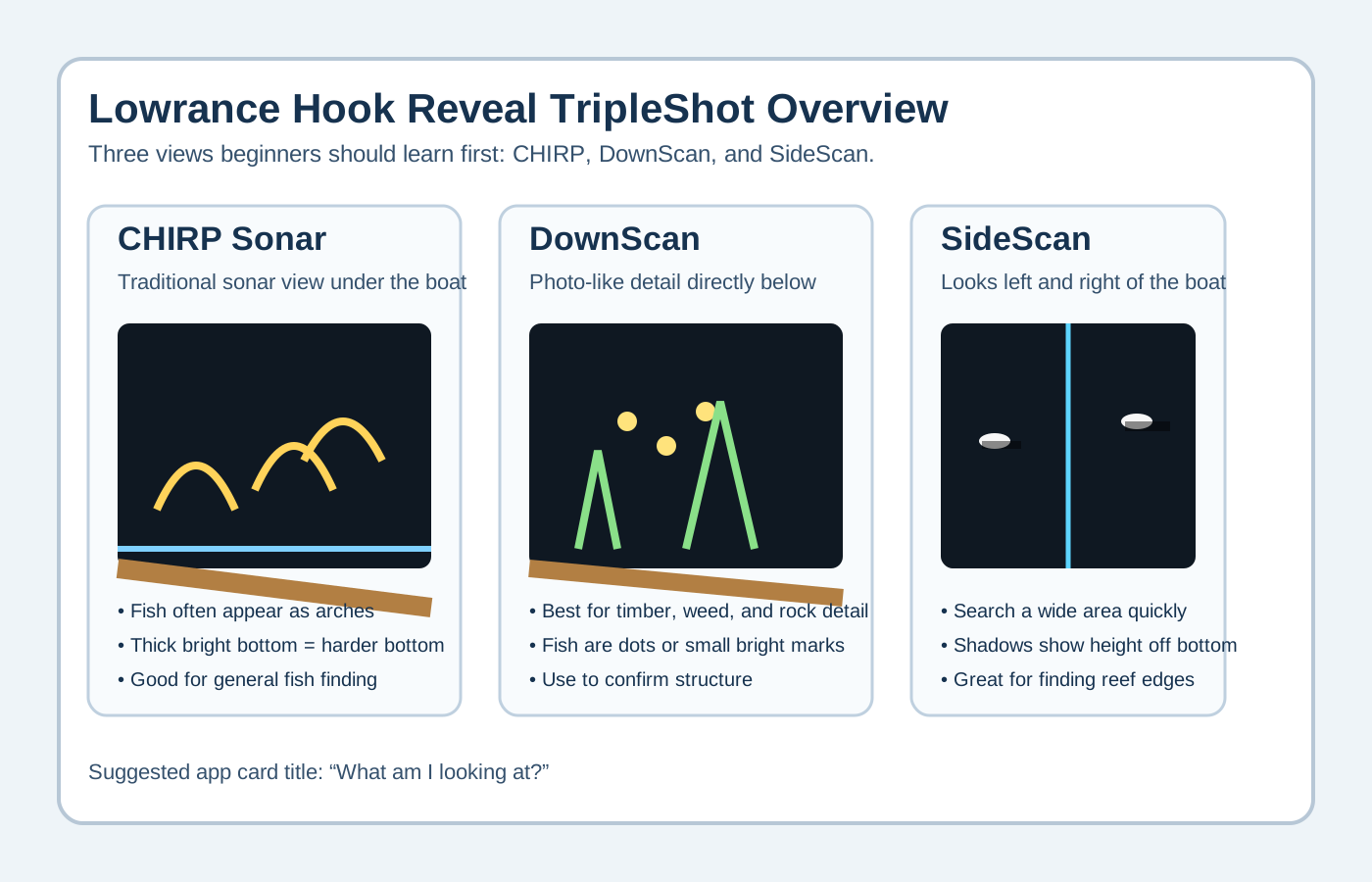
Combines CHIRP sonar, DownScan, and SideScan to give a complete picture of what is below and around your boat.
CHIRP Sonar
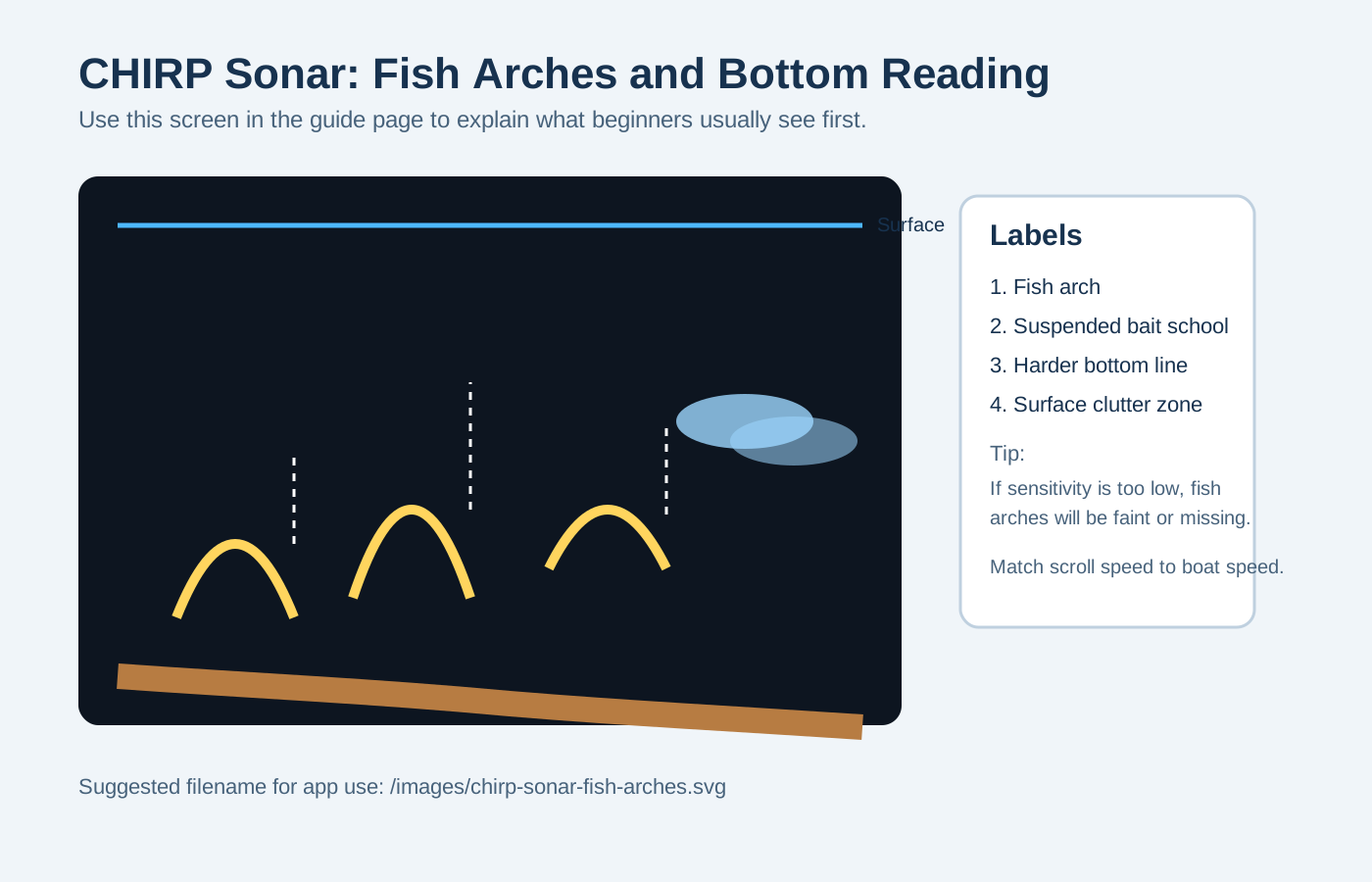
- Arches = fish
- Bait appears as clouds
- Hard bottom = thick bright line
- Soft bottom = thin faint line
DownScan Imaging
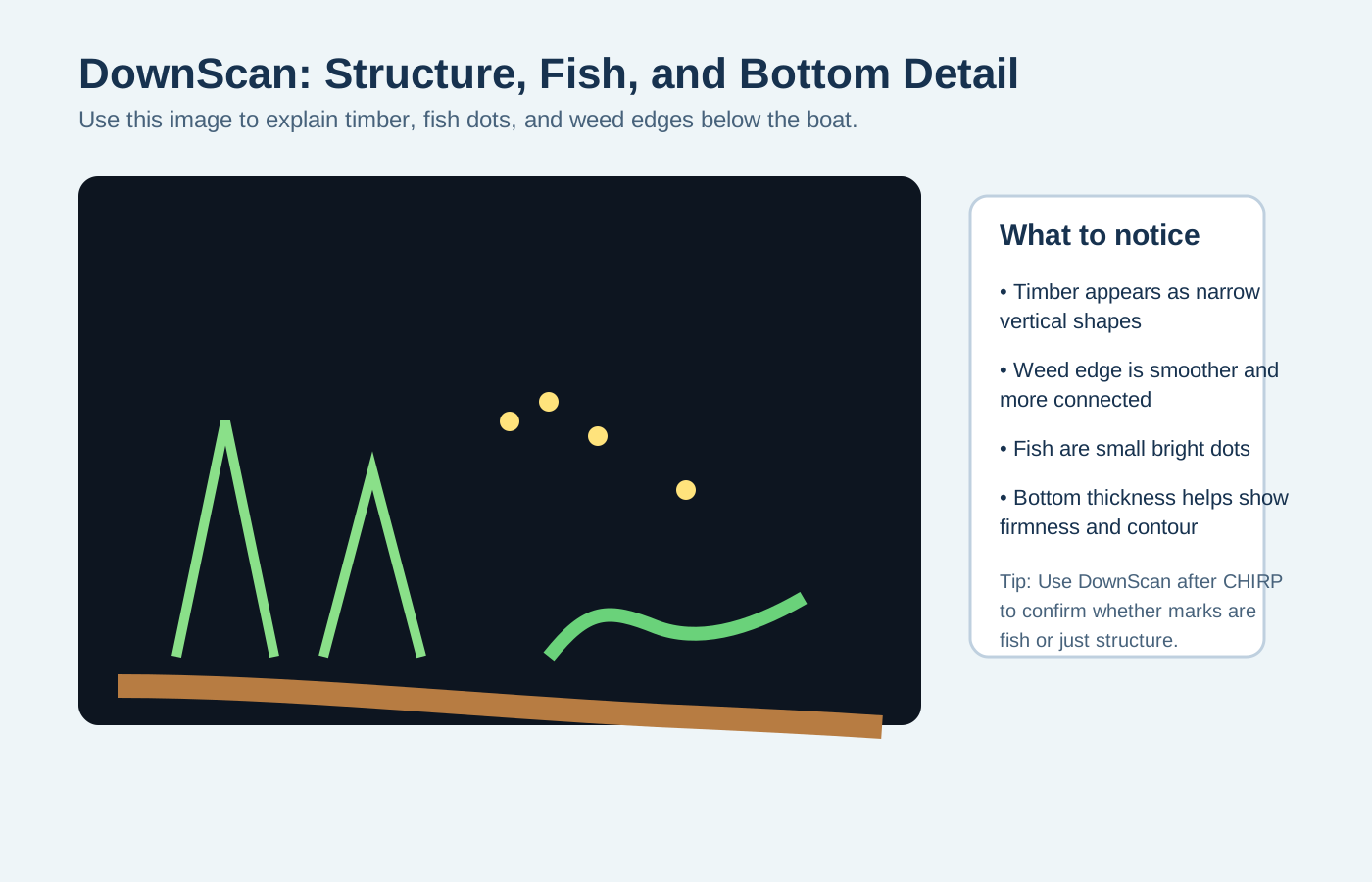
- Fish = dots
- Timber = vertical structure
- Rocks = jagged bright returns
- Great for structure fishing
SideScan Imaging
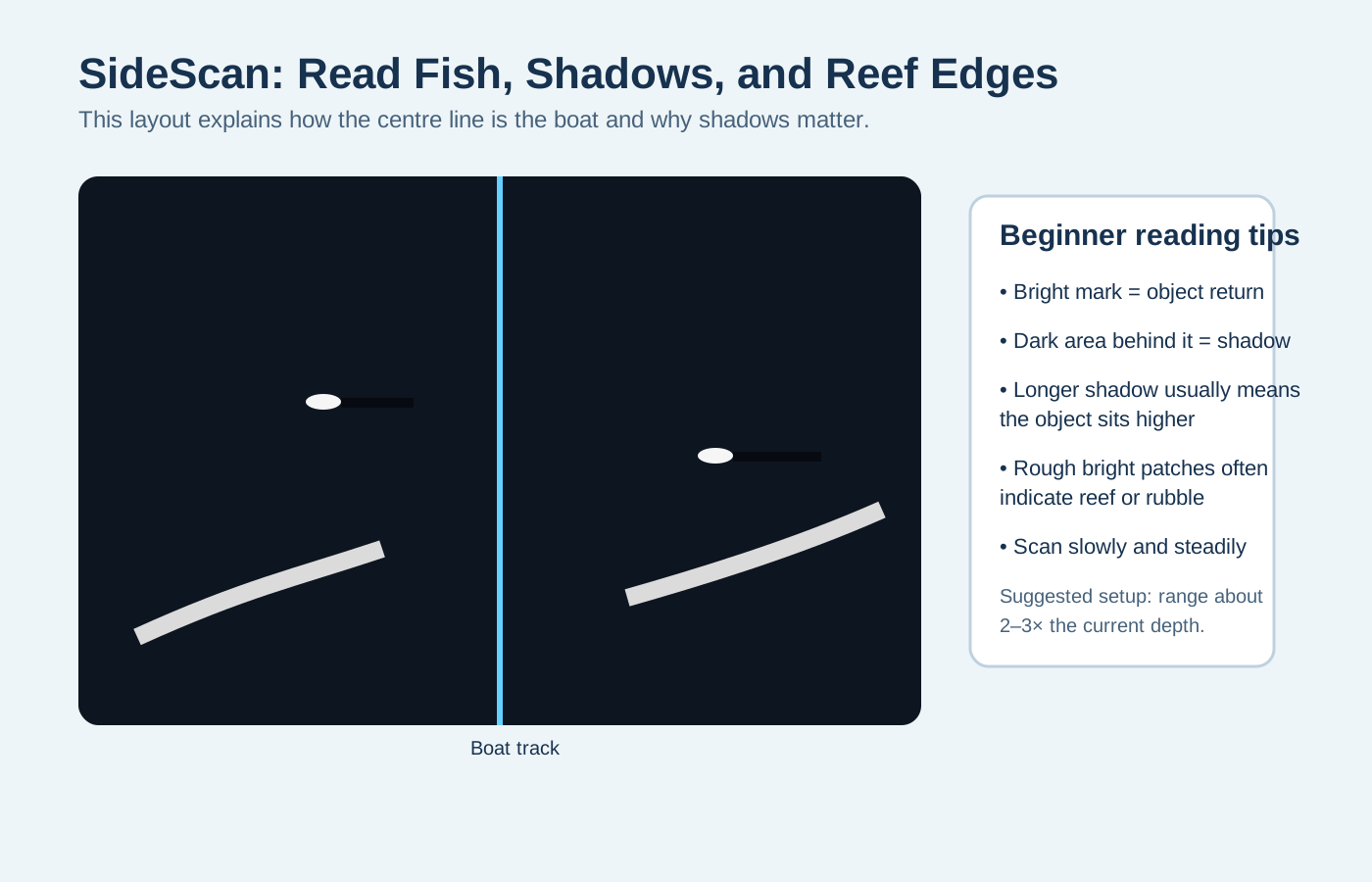
- Shows left and right of the boat
- Shadows indicate height
- Long shadows = taller structure
- Best for covering water quickly
Boat Positioning
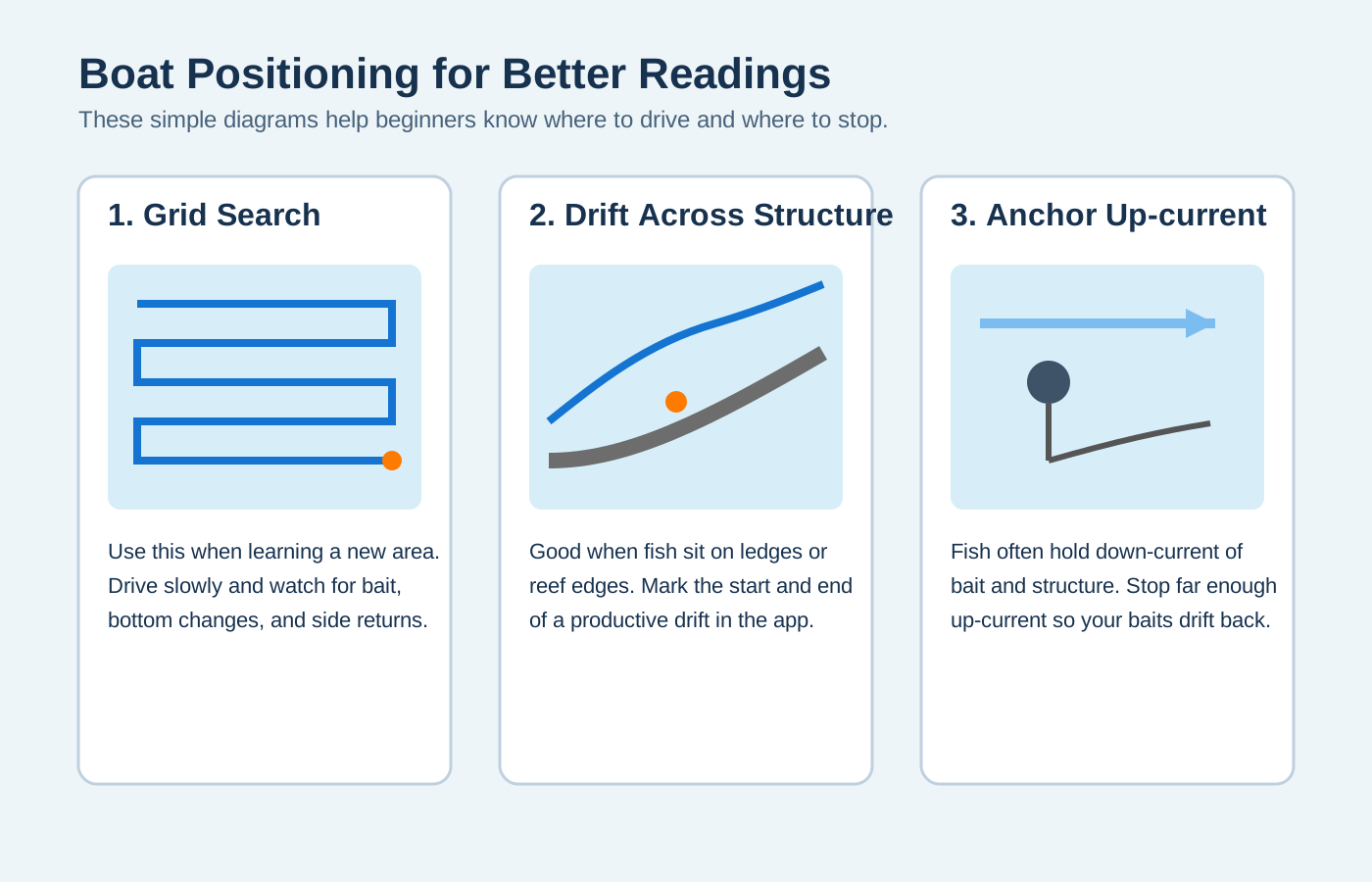
- Grid search to find new spots
- Drift across structure
- Anchor up-current of fish
Waypoints & Notes
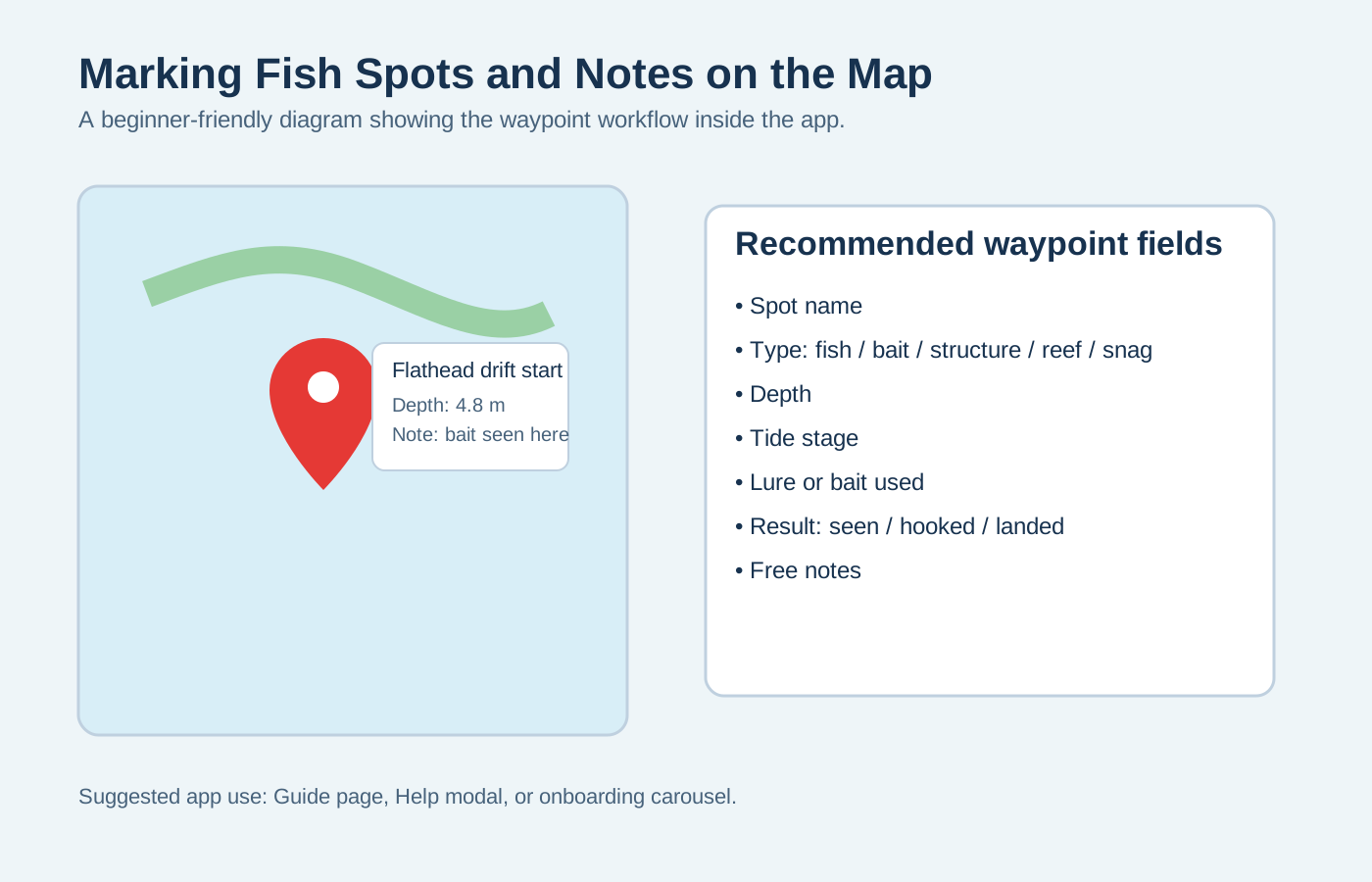
- Mark where fish are found
- Add depth and notes
- Track successful spots over time