Interactive Fish Finder Guide
Tap image thumbnails and explanation buttons to learn what each sonar screen is showing.
CHIRP Sonar (Traditional)
Traditional sonar is best for seeing fish arches, bait schools, and bottom hardness while you move or drift.
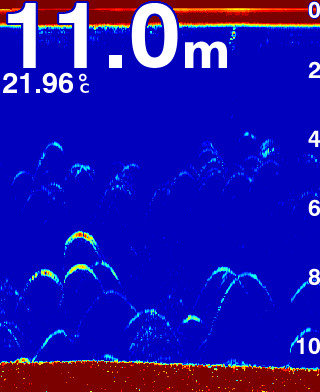
Arches = fish
Fish often appear as arches. A thicker or stronger arch can suggest a larger fish or a fish passing clearly through the cone.
DownScan Imaging (Structure Detail)
DownScan is better for separating fish from structure and showing timber, weed, rock, and bottom detail more clearly.
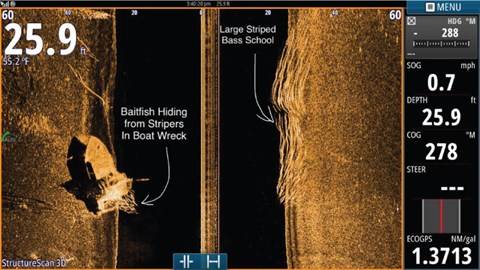
Fish = bright dots or marks
Fish on DownScan often appear as bright dots or small marks, sometimes with separation from nearby structure.
SideScan Imaging (Finding Fish Left and Right)
SideScan helps you cover more water by looking left and right of the boat instead of only directly underneath.
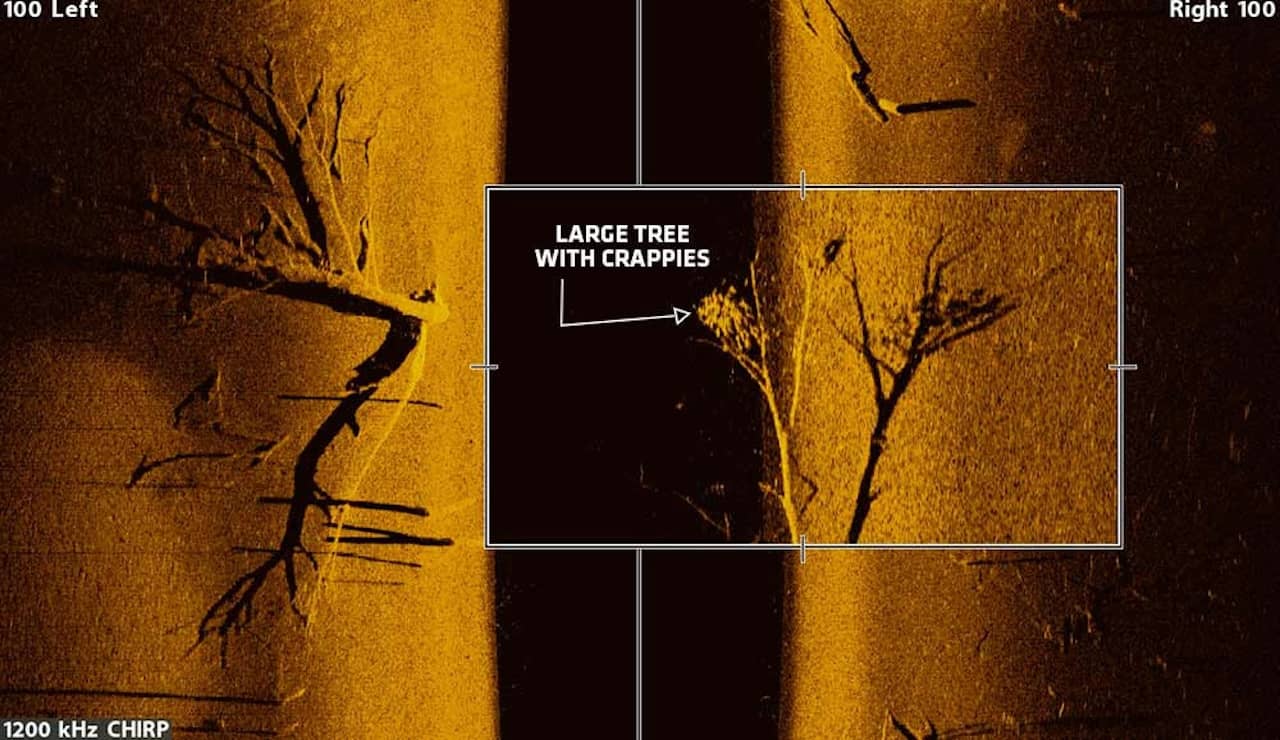
Left and right = away from the boat
The sonar is showing what lies to either side of your boat. This lets you search a much wider area quickly.
Standard Sonar Without CHIRP
Older non-CHIRP sonar can still work, but detail and fish separation are often less clear.
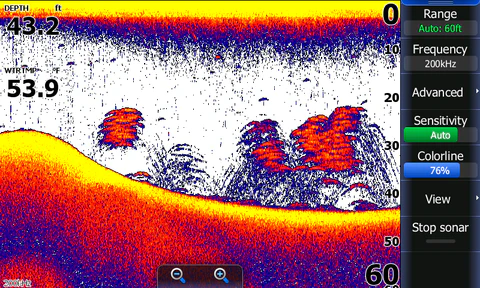
Less separation and clarity
Fish, bait, and bottom detail can blend together more on older sonar. CHIRP usually provides cleaner separation.